

How To Check Etisalat Subscription? Complete Guide
Do you have any questions about Etisalat UAE subscriptions that you’ve used for some time? Keeping your Etisalat subscription up-to-date is important to understand your data usage, account balance, and other relevant information. It is easy to verify your Etisalat subscription, regardless of whether it is prepaid or postpaid.
Our goal in this article is to walk you through the steps to check your Etisalat subscription step-by-step. The cost of disruptions and unwelcome costs can be avoided by maintaining your telecom services.
In order to stay on top of one’s telecom services, a regular Etisalat subscription review is essential. No matter whether you have a prepaid or postpaid plan with Etisalat, checking your account balance and current plan will give you an overview of your data usage.
This blog article will help you check your Etisalat subscription by walking you through the steps. Maintaining this level of communication will ensure that you are aware of any unforeseen interruptions or fees related to your telecommunications services.
How To Check Etisalat Subscription?
MyEtisalat App
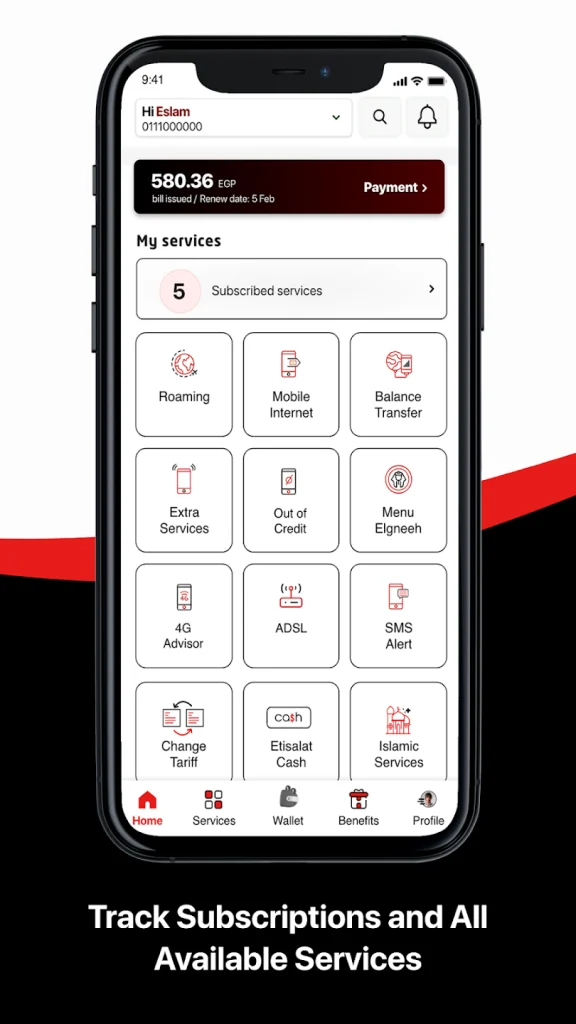
Your Etisalat subscription can be checked in a variety of ways in the United Arab Emirates. Although the MyEtisalat app does save time and effort, it is the most convenient option. Using the app is simple, as it is available for both iOS and Android smartphones. MyEtisalat app is highly recommended for checking active services on the network.
Using your phone number or registering with the app will let you log in. It’s as simple as that. You can see all your active services under the account tab on the Home ScreenCredits: expatsa.com
It allows you to see how much time is left for calls, SMS, and internet data. If you tap View All, you will be able to see a list of all your active subscriptions. You can find it in the top right corner of your account page.
By Calling Etisalat Helpline
Getting an SMS listing your active services with Etisalat is as simple as calling +971 800 5800. If you would like a list of all subscriptions associated with your Etisalat number, request it from the customer service agent. Within a few days, Etisalat will send you an email detailing all the subscriptions you currently have.
How Do I Check Etisalat Subscription for Postpaid?
- You can dial *140# on your mobile phone.
- Check your Etisalat postpaid subscription status by clicking the call button.
- An account balance notice will be sent to you with information about your current plan and data usage.
Conclusion
In order to remain in touch with your loved ones as well as with your workplace, it is imperative that your Etisalat subscription is kept up-to-date. In this blog post, you will find straightforward instructions for checking your Etisalat membership, so you can follow them in the right order. In order to make use of Etisalat’s telecom services in a seamless way, you should monitor your data consumption, account balance, and current plan as a responsible Etisalat UAE customer.
You should stay up to date on all relevant information about your Etisalat subscription on a regular basis to avoid unneeded interruptions. Using Etisalat’s services will be pleasant and trouble-free if you check your subscription right away.


