iPhone 16 Pro Wireless Charging Hacks
Wireless charging is a game-changer, especially for powerhouse devices like the iPhone 16 Pro. But are you getting the most out of it? With a few tweaks and tools, you can speed up charging times, prolong battery life, and avoid common issues.
Here are some essential wireless charging hacks to make sure your iPhone 16 Pro is always ready to go.
Understanding iPhone 16 Pro Wireless Charging
The iPhone 16 Pro improves on MagSafe technology, now offering 25W MagSafe wireless charging from last year’s 15W.
Recent updates to its charging coils reduce overheating, ensuring faster, more efficient charging. The iPhone 16 Pro is also compatible with the new Qi2 standard, introduced in 2023, offering more reliable wireless charging options as the ecosystem expands.
These advancements make the iPhone 16 Pro a leader in wireless charging innovation. To maximize this functionality, follow the tips below.
1. Use a Wireless Charging Case with MagSafe
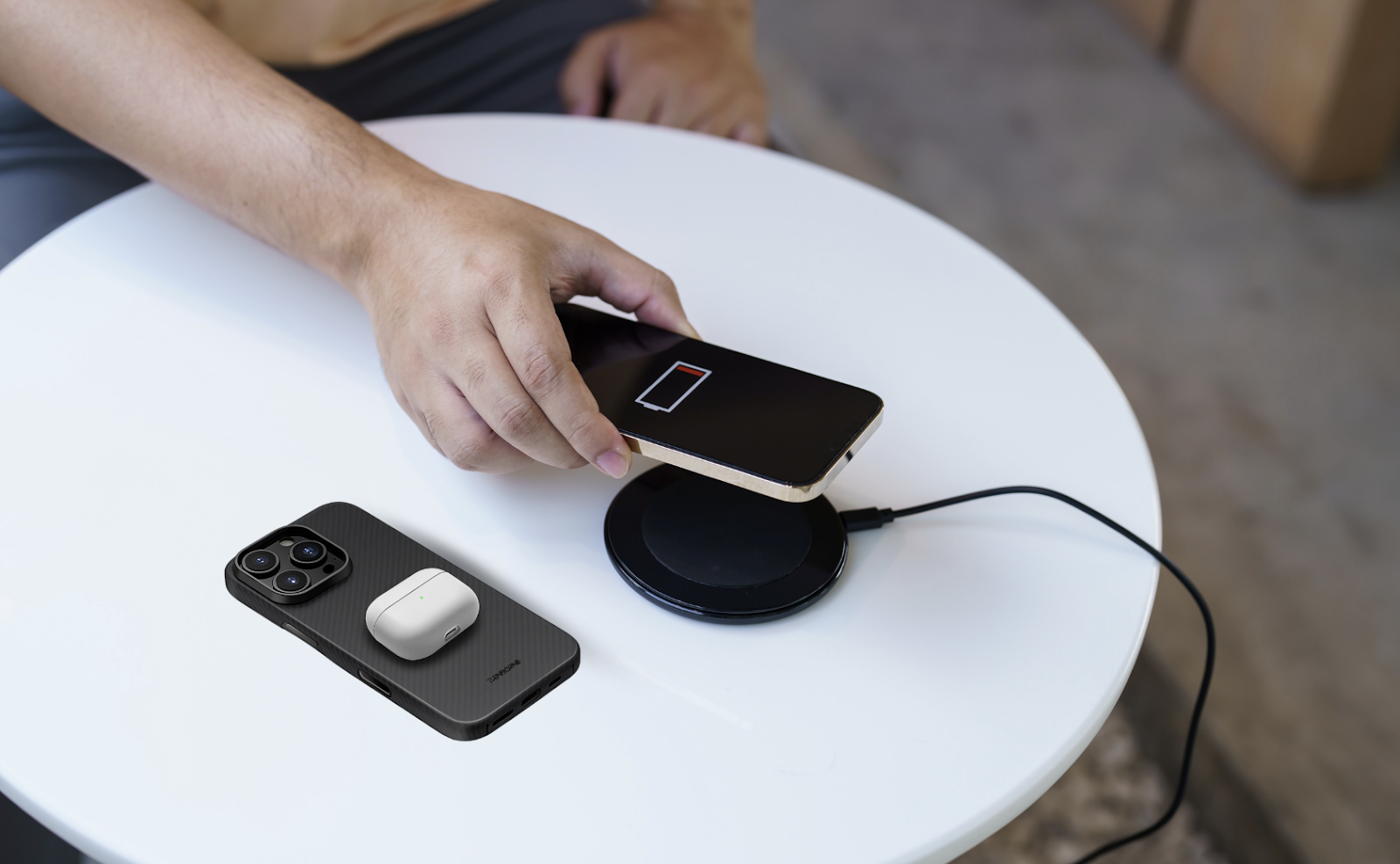
One of the easiest ways to streamline your charging experience is by using a MagSafe-compatible wireless charging iPhone 16 Pro case, like Thinborne’s aramid fiber case.
MagSafe ensures your iPhone snaps perfectly into place on the charger, avoiding any misalignment that could slow down charging. These cases not only provide protection but also keep your device optimized for wireless charging.
2. Choose a Fast Wireless Charger
Not all wireless chargers are created equal. Look for a charger that supports fast charging, like the 15W MagSafe charger designed for iPhones. Standard Qi chargers will work, but for the quickest charge, MagSafe is your best bet. A higher wattage charger means more juice in less time, so you can top up your phone efficiently.
3. Remove Metal and Thick Accessories
Your wireless charger needs direct contact with your iPhone’s back, and anything between them can interfere. If you have a thick case or metal accessories, like a metal kickstand or wallet, remove them before charging. Stick with MagSafe-compatible accessories to keep everything running smoothly without slowing down the charge.
4. Keep Your Charging Pad Clean
A dirty charger can affect charging efficiency. Dust and debris can block the connection between your phone and the charger. Regularly wipe down your charging pad and phone to ensure a clear surface for optimal power transfer. This small habit can improve charging speed and consistency over time.
5. Use a Cooler Environment
Heat is one of the biggest enemies of wireless charging efficiency. Charging generates heat, and if your phone gets too hot, it could slow down the process or stop altogether to prevent overheating. Try charging your iPhone 16 Pro in a cool, ventilated space. Avoid placing it on soft surfaces like beds or couches that trap heat.
6. Don’t Charge to 100% Overnight
While wireless chargers are convenient for overnight charging, it’s best not to fully charge your iPhone every night. Keeping your phone at 100% for long periods can wear down the battery faster. Instead, charge it up to around 80-90%, which is healthier for long-term battery life. You can also enable Optimized Battery Charging in your iPhone’s settings to slow the charge once it hits 80%.
7. Optimize Charging Settings
To further extend your battery life and make the most of wireless charging, dive into your iPhone’s settings. Go to Settings > Battery > Battery Health & Charging and turn on Optimized Battery Charging. This feature slows down charging when your phone is close to full, helping reduce battery wear.
8. Charge in Airplane Mode
This hack works for both wireless and wired charging. Putting your iPhone in Airplane Mode while it’s charging reduces background processes, so your phone charges a bit faster. It’s particularly useful when you need to top up your phone quickly before heading out.
9. Use a MagSafe Duo Charger for Multiple Devices
If you’ve got more than one Apple device, like an Apple Watch or AirPods, consider using the MagSafe Duo Charger. It can charge two devices simultaneously, saving time and reducing clutter. Plus, with its foldable design, it’s perfect for travel.
10. Check for Software Updates
Apple occasionally rolls out updates that improve charging performance or battery management. Regularly check for iOS updates by going to Settings > General > Software Update. Staying up-to-date ensures you benefit from any tweaks Apple makes to the wireless charging system.
Final Thoughts
Wireless charging for the iPhone 16 Pro is simple and convenient, but with these hacks, you can ensure faster, more efficient charging and better battery health. Remember, using a wireless charging case that’s MagSafe-compatible is key to a smooth charging experience. Keep your charger clean, stay cool, and optimize your settings for the best results.